
One block, many modes
A single morphic block carries several visual elements: icons, natural-language labels, and code templates. Modes decide which are shown, and switch at runtime without remounting.
Open-source · TypeScript · built on Google Blockly
Morphic Blocks is an embeddable TypeScript library built on top of Google Blockly. One block model renders in as many representations as you define, from icons to real source code.
npm install morphic-blocks
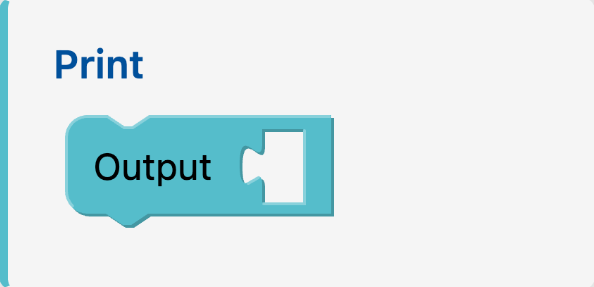

A single morphic block carries several visual elements: icons, natural-language labels, and code templates. Modes decide which are shown, and switch at runtime without remounting.
Define blocks in JSON, behaviors in TypeScript, and one CSS file per mode. Extend or restyle an environment by editing config, not Blockly's multi-file imperative setup.
Render the same program as icons, blocks, or text to scaffold the gradual path from block-based to text-based programming, with one framework across many learning stages.
Install the package, hand it your definitions and behaviors, and mount.
That is the whole loop. The docs cover modes, toolbox, codespace, and behaviors in depth.
Read the full guide →import { MorphicBlocks } from "morphic-blocks";
import definitions from "./definitions.json";
import { behaviors } from "./behaviors";
// The constructor takes the whole definitions file plus your behaviors.
const engine = new MorphicBlocks(definitions, behaviors);
engine.mount({
workspaceContainer: document.getElementById("workspace")!,
workspaceMode: "conceptual",
toolboxMode: "conceptual",
});
engine.mountToolbox(document.getElementById("toolbox")!);
// Switch representation at runtime; the same blocks re-render.
engine.setModes({ workspaceMode: "python", toolboxMode: "python" });{
"elementTypes": {
"title": "text",
"conceptual": "code",
"python": "code"
},
"modes": [
{ "name": "conceptual", "elements": ["title", "conceptual"] },
{ "name": "python", "elements": ["title", "python"] }
],
"blocks": [
{
"identifier": "text_print",
"elements": {
"title": "Print",
"conceptual": "Output %1",
"python": "print(%1)"
},
"inputSlots": {
"1": { "kind": "value", "name": "TEXT" }
}
}
]
}import type { MorphicBehaviorMap } from "morphic-blocks";
// One function per block identifier, returning the executable JavaScript.
export const behaviors: MorphicBehaviorMap = {
text_print(proxy) {
return `console.log(${proxy.inputs.TEXT ?? "undefined"});\n`;
},
};